Short answer: Wispr Flow Notetaker (launched August 5, 2026) is a promising bot-free AI meeting notetaker for Mac with a standout trick: it pulls real speaker names and company jargon from your calendar, Gmail, and Slack. Its limits are just as clear: Mac-only, English-only, a weekly meeting cap on the free plan, and cloud processing. If you work in English on a Mac inside the Wispr ecosystem, it's worth trying; if you need Windows, Android, iPhone, other languages, or in-person recording, you'll hit its walls on day one.
← Back to Blog
Wispr Flow Notetaker Review 2026: What It Does Well, Its Limits, and Who It's For
Wispr Flow built its reputation on voice dictation, and on August 5, 2026 it shipped Notetaker, its first product beyond dictation. TechCrunch called it a "Granola-styled meeting notetaker," and that's accurate: no bot joins your call. Instead, Notetaker captures audio locally on your Mac and works with Zoom, Google Meet, Teams, Slack Huddles, Discord, and browser calls. Here's what it does, what it does well, and where it falls short, based on Wispr's published docs and launch coverage, not marketing claims.
What Wispr Flow Notetaker Does
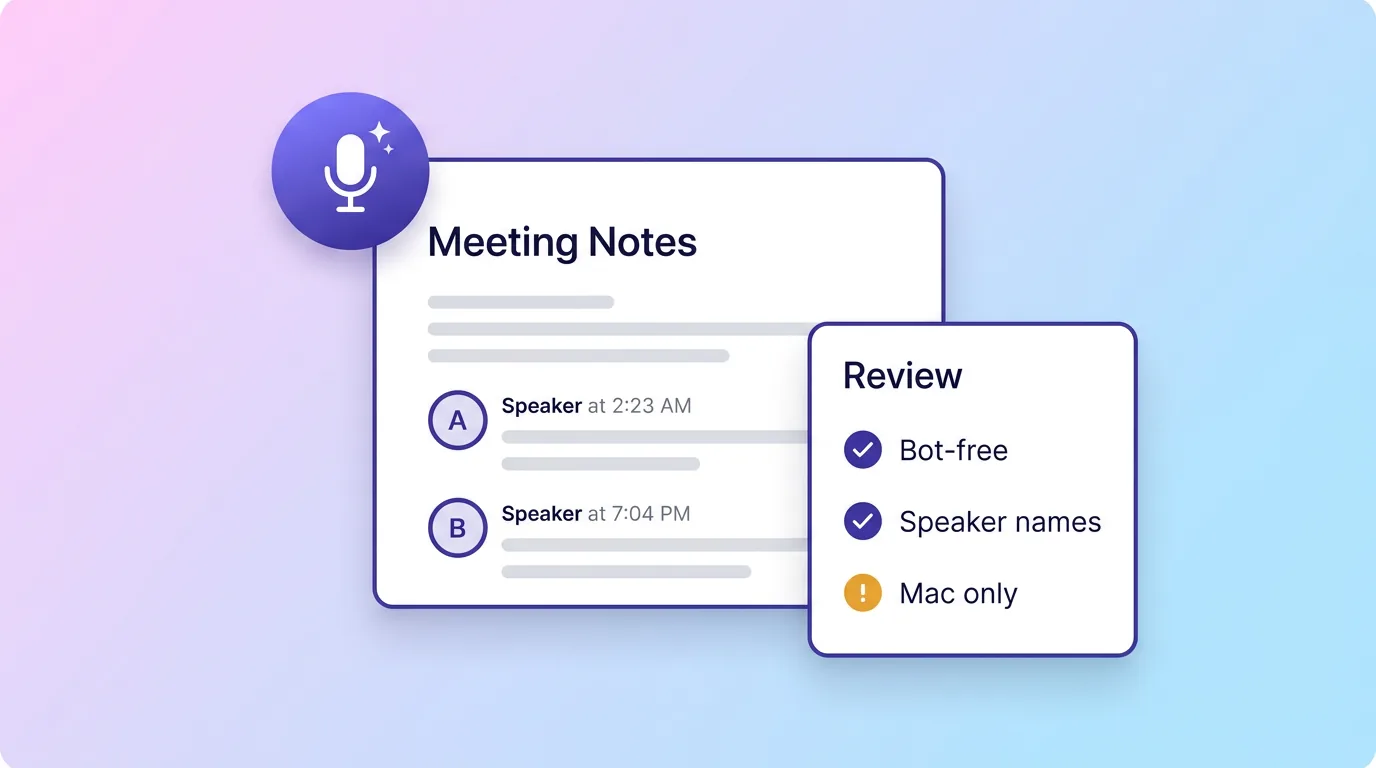
- Bot-free recording. Audio is captured locally on your device: nothing joins the call as a participant. Works across every major meeting platform without integrations.
- Real speaker names. Instead of "Speaker 1 / Speaker 2," Notetaker infers actual names from your calendar invitations and connected accounts, with one-click correction and a second-pass verification model.
- Context-aware accuracy. It uses Gmail, Slack, calendar data, and your personal dictionary to get product names, internal terms, and company jargon right.
- Summaries you can act on. Meetings become timelines, decisions, and next steps organised by topic, plus a "What did I miss?" catch-up if you join late.
- Pre-meeting research. Notetaker researches external participants and reviews previous meetings and messages before the call.
- MCP support. Claude, ChatGPT, Cursor, and other MCP-compatible tools can query your meeting notes and transcripts directly.
- Granola import. One-click import brings your existing Granola notes over.
What It Does Well
The context angle is genuinely differentiated. Most notetakers transcribe what they hear; Notetaker arrives at the meeting already knowing who's attending and what your team calls things, because it reads your calendar, email, and Slack. Early users have praised exactly this: notes clean enough to feed straight into AI agents and CRM updates. MCP support is another strong call: your meeting history becomes something Claude or Cursor can query, which matters more every month, though it's no longer unique (CraftNote ships an MCP server as well).
The Limits You'll Hit
| Limit | Detail |
|---|---|
| Mac only | Windows and mobile are "coming soon" per Wispr's own page. No phone recording means no in-person meetings, lectures, or calls on the go. |
| English only | Notetaker supports English at launch, with more languages "coming soon," even though Wispr's dictation product handles 100+. |
| Weekly cap on free | The free Flow Basic plan includes Notetaker with a weekly limit on meetings; Pro ($15/user/mo, $12 annual) adds "more meetings, kept for longer." |
| Cloud processing | Audio is encrypted and auto-deleted after a limited retention period, but processing happens on remote servers, a recurring criticism of Wispr Flow among privacy-focused users. |
| Version one | Notetaker launched in August 2026. Some long-time Wispr users have publicly argued the company should fix dictation quality before expanding into new products. |
Pricing
Notetaker is included in Wispr Flow's free plan: genuinely free, Mac only, with a weekly meeting limit. Pro costs $15/user/month ($12 on annual billing) and bundles unlimited dictation with more meetings kept for longer, advanced AI models, and priority support. Enterprise adds SOC 2 Type II and ISO 27001 compliance. If you already pay for Flow Pro dictation, Notetaker is effectively a free upgrade, which is exactly the play Wispr is making.
Who It's For and Who It Isn't
Try it if: you work in English on a Mac, live in Zoom/Meet/Teams all day, and already use (or want) Wispr Flow dictation.
Look elsewhere if: you need Windows or a phone app today, your meetings happen in more than one language, you record in-person conversations or lectures, or you want notes from more than just live meetings (audio files, videos, PDFs, YouTube). A cross-platform bot-free notetaker like CraftNote covers all of those: see the full CraftNote vs Wispr Flow Notetaker comparison.
Frequently Asked Questions
Is Wispr Flow Notetaker free?
Yes, it's included in the free Flow Basic plan on Mac, with a weekly limit on meetings. The Pro plan ($15/user/month, $12 annual) raises the limits and keeps meetings longer.
Does Wispr Flow Notetaker join calls as a bot?
No. It captures audio locally on your Mac, so nothing joins the call. It works with Zoom, Google Meet, Teams, Slack Huddles, Discord, and browser calls without integrations.
Is Wispr Flow Notetaker available on Windows or iPhone?
Not at launch. It's Mac-only, with Windows and mobile "coming soon." If you need those platforms today, CraftNote runs natively on Windows, Mac, iPhone, iPad, Android, and the web.
What languages does Wispr Flow Notetaker support?
English only at launch, with more languages promised. For multilingual meetings, CraftNote transcribes and summarises in 100+ languages with automatic detection.
Can other AI tools read my Wispr Flow meeting notes?
Yes, Notetaker supports MCP, so Claude, ChatGPT, Cursor, and other MCP-compatible tools can access your notes and transcripts. CraftNote runs an MCP server too (mcp.craftnoteapp.com), so Claude, ChatGPT, Codex, or any MCP client can search and read your notes over OAuth.
Related reading
Turn this into action with CraftNote
Record meetings and lectures, then get AI transcripts, summaries, and action items.
Try CraftNote free